Screenshots
A quick look at what Pods looks like.
The screenshots can be a release or two behind, so the current version can look different.
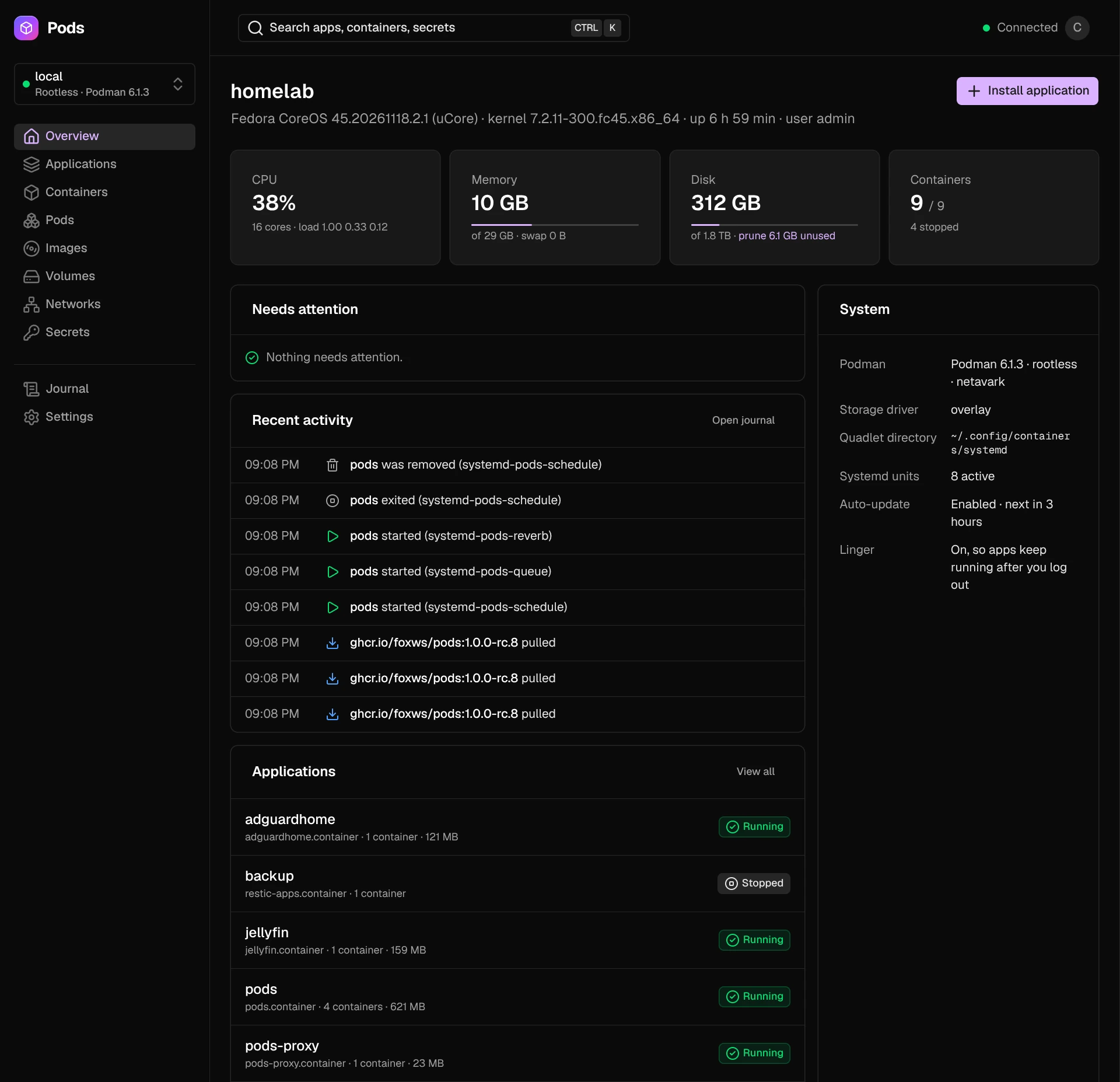
Overview
Each host starts on its overview: CPU, memory, disk and containers, what needs attention (such as failed units), the host's recent activity from its journal, its applications, and the Podman and systemd settings that matter, such as auto-update and lingering.
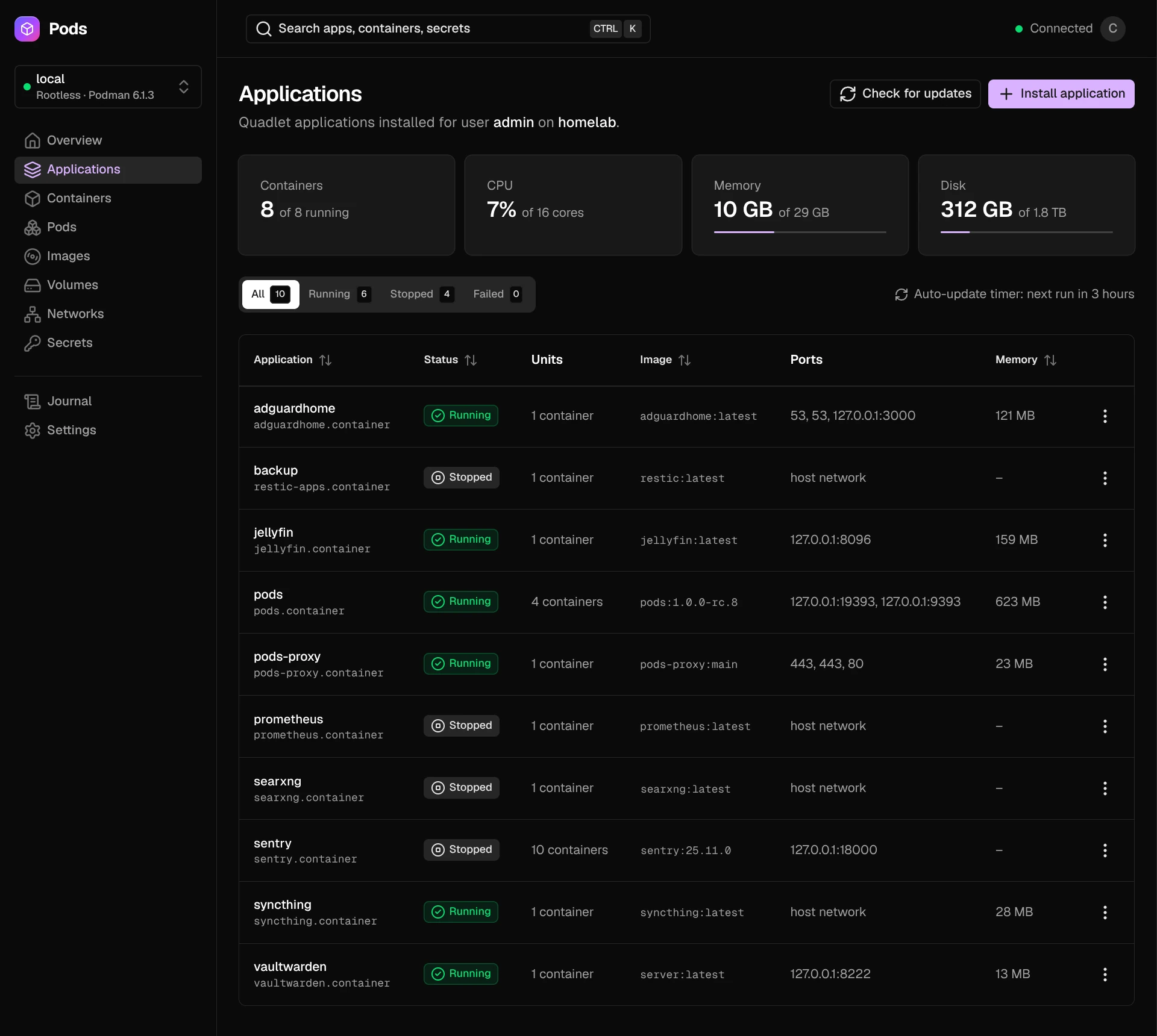
Applications
Every Quadlet application on the host, however it was installed, with its status, units, image, ports and memory. Filter by running, stopped or failed, check for updates, and start, stop, restart or remove an application from its menu.
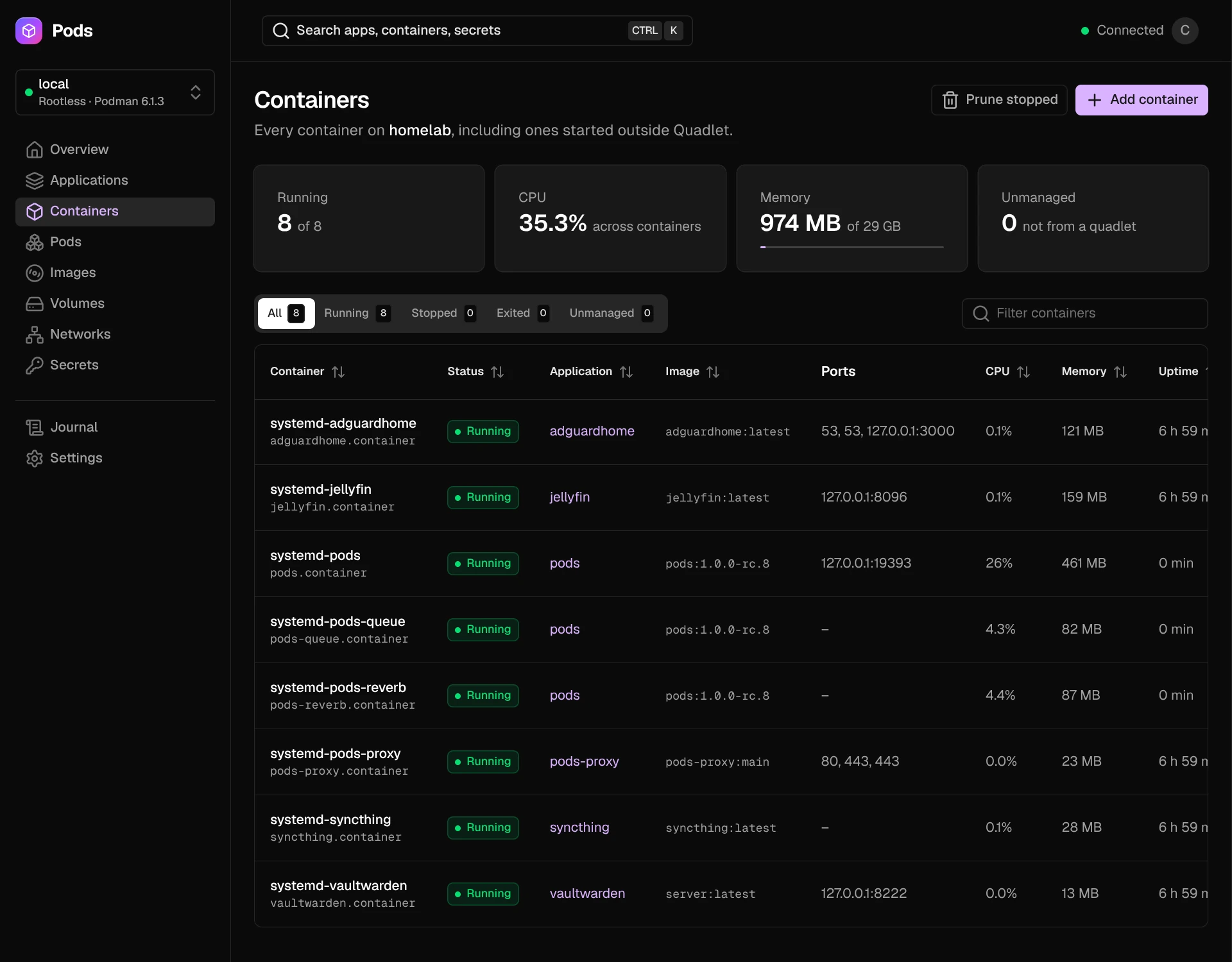
Containers
Every container on the host, including ones started outside Quadlet, with the application it belongs to, its image, ports, CPU, memory and uptime.
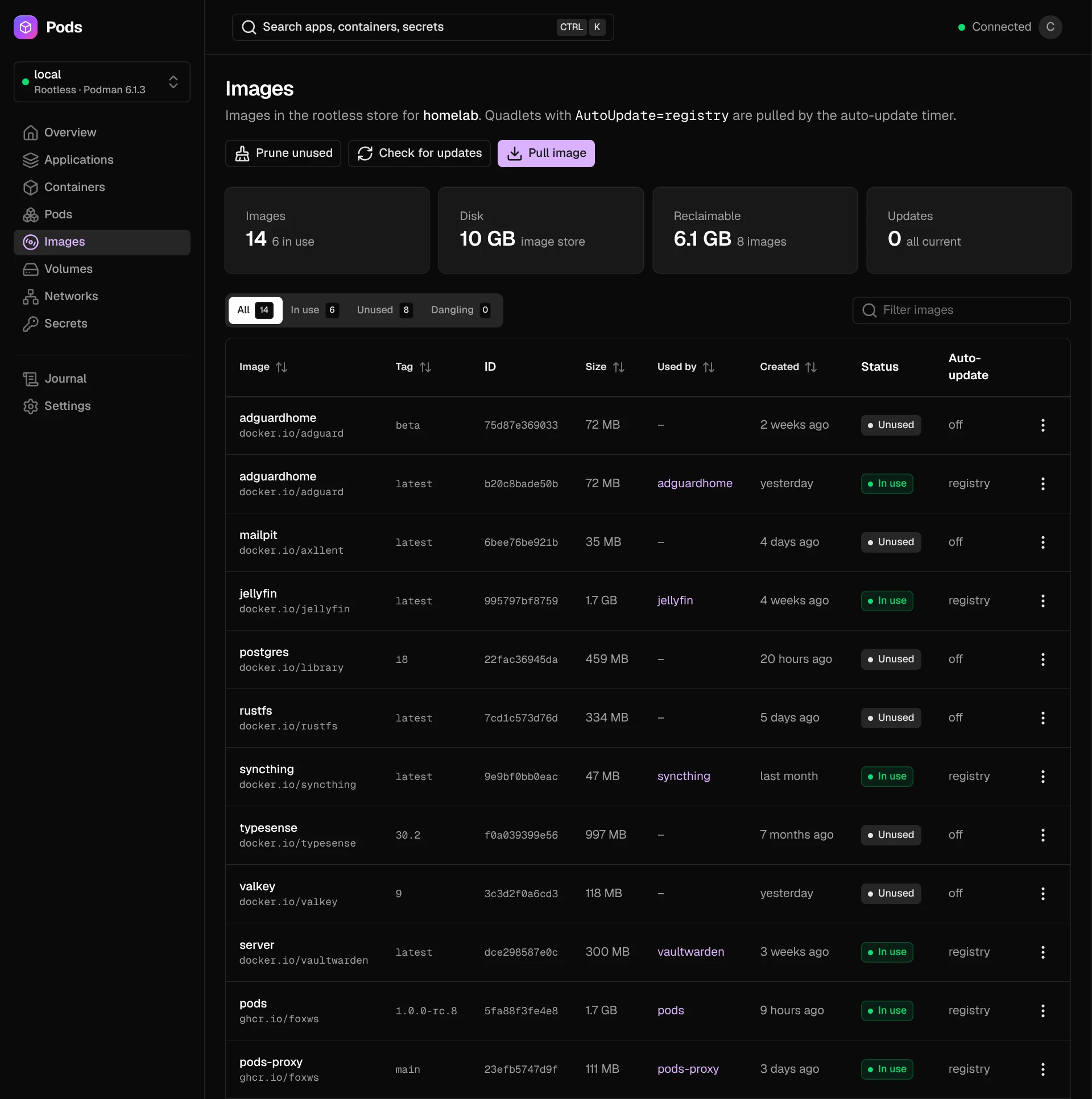
Images
The images in the user's rootless store, which application uses each one, and whether podman auto-update pulls it. Prune unused images, pull a new one, or check every image for updates.
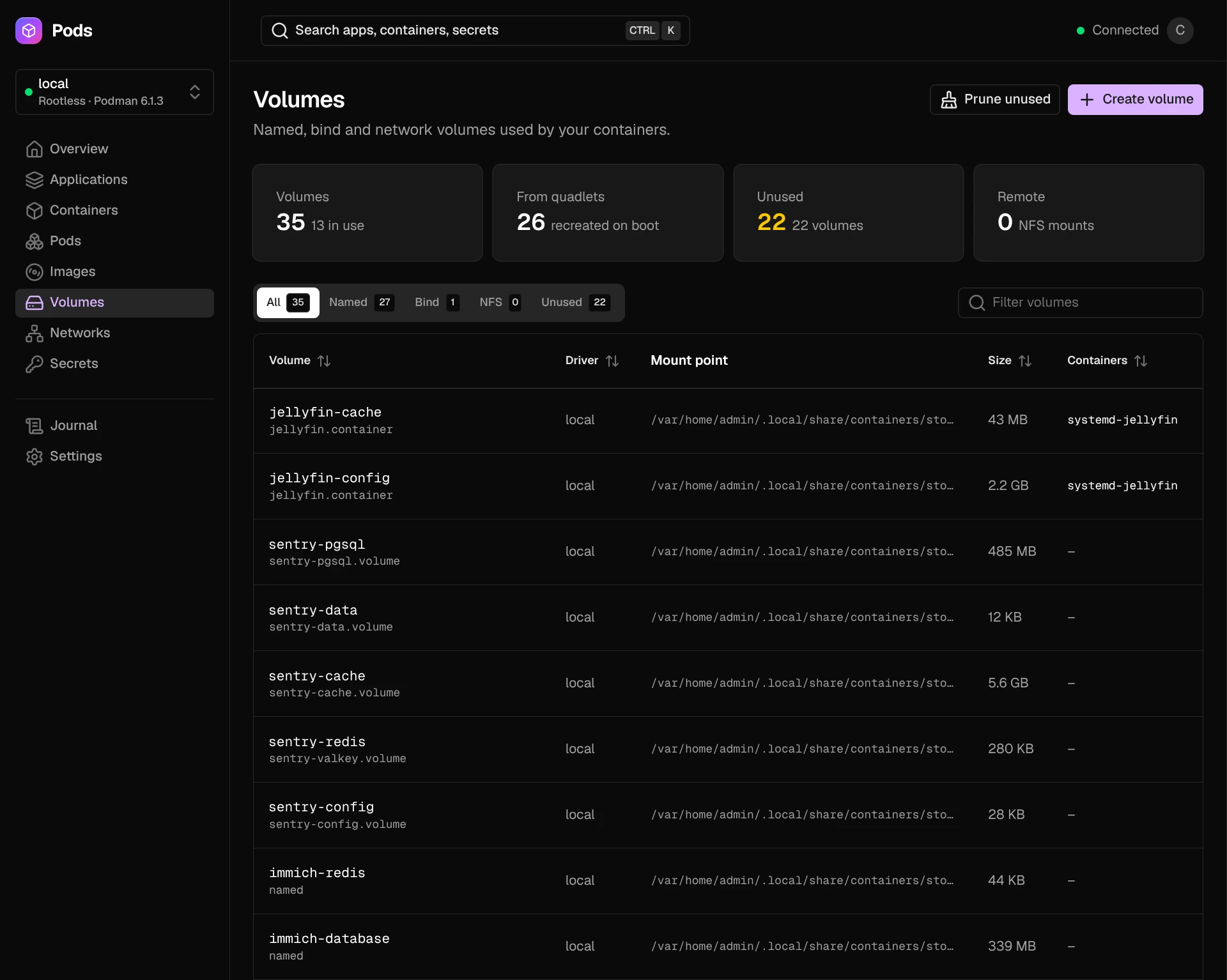
Volumes
Named, bind and NFS volumes, the Quadlet that creates each one, its mount point, how much disk space it uses and which containers mount it. Volumes can be exported as tar archives (see Backups).
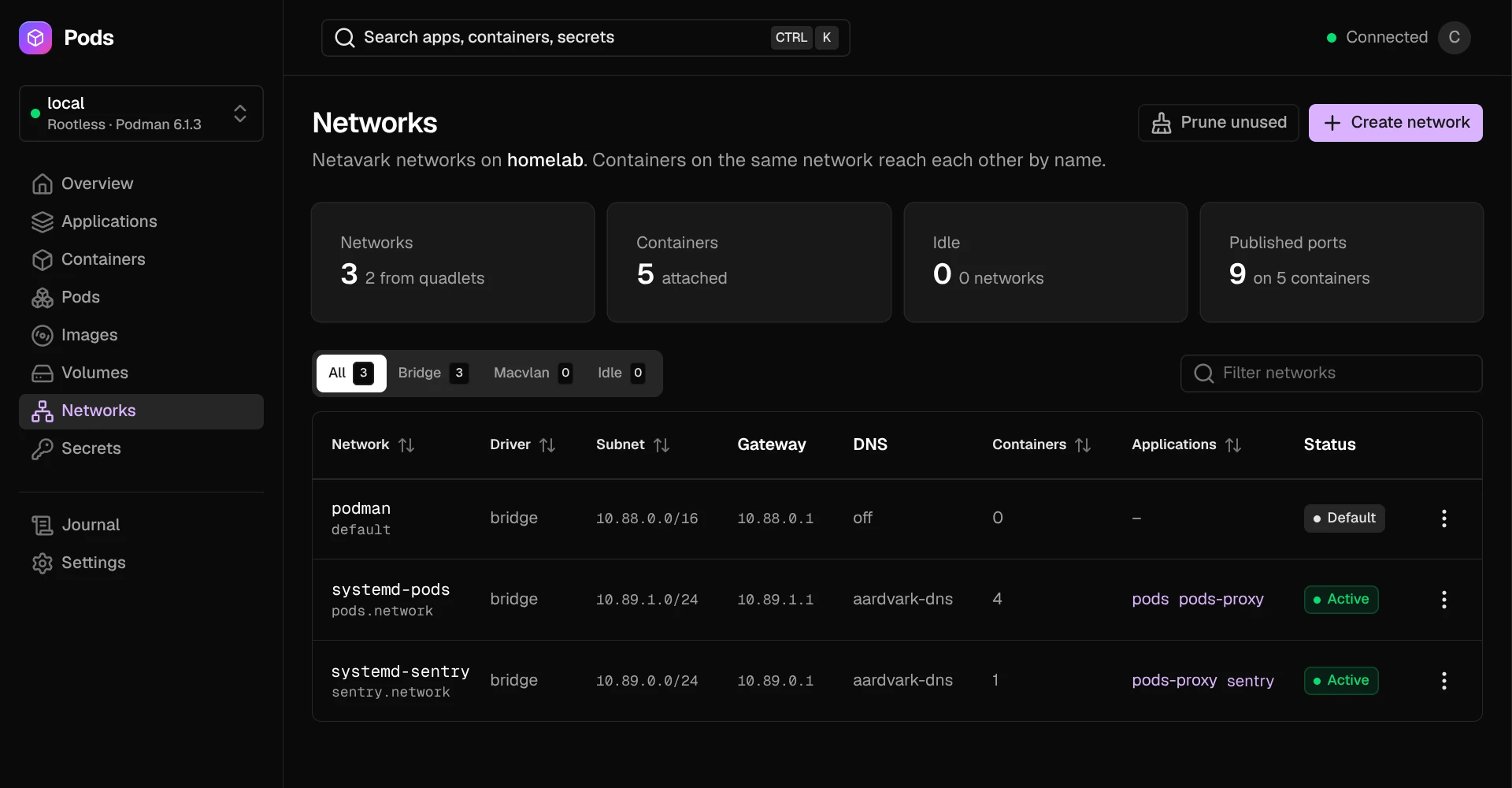
Networks
The Netavark networks on the host, with their subnet, gateway, DNS, and the containers and applications attached to them.